Chrome 插件开发:右键菜单功能实现
右键点击是浏览器使用过程中比较常见的操作,现在实现一下"点击右键,点击Open Options Page”
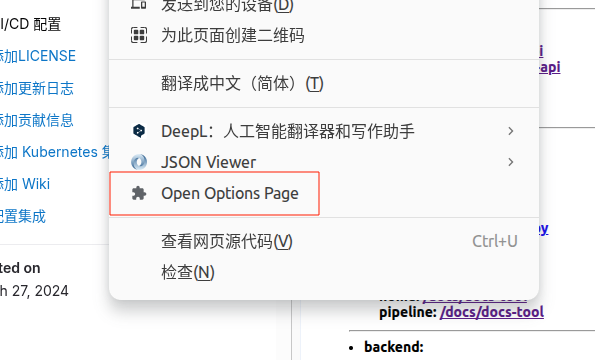
申请 contextMenus 权限
{
    ...
    "permissions": [
        ...
        "contextMenus"
    ]
}
在 service_worker 中构建上下文菜单
{
    "background": {
        "service_worker": "background.js"
    },
}
添加点击事件
- 创建上下文菜单,可以创建多个,多次调用 create 即可
- 为
chrome.contextMenus注册点击事件,判断menuItemId为对应的 id 即可 - 调用函数
chrome.runtime.openOptionsPage()即为打开插件设置页
// Create context menu item
chrome.runtime.onInstalled.addListener(() => {
  chrome.contextMenus.create({
    id: 'open-options-page',
    title: 'Open Options Page',
    contexts: ['all'],
  });
});

// Handle context menu item click, open options page
chrome.contextMenus.onClicked.addListener((info, tab) => {
  if (info.menuItemId === 'open-options-page') {
    chrome.runtime.openOptionsPage()
      .catch((error) => console.error('Failed to open options page:', error));
  }
});
总结
- 通过
contextMenus权限为插件添加右键菜单 - 使用
chrome.contextMenus.create创建菜单项 - 使用
chrome.contextMenus.onClicked监听点击事件 - 使用
chrome.runtime.openOptionsPage()打开插件设置页